Two-Factor Authentication Made Easy
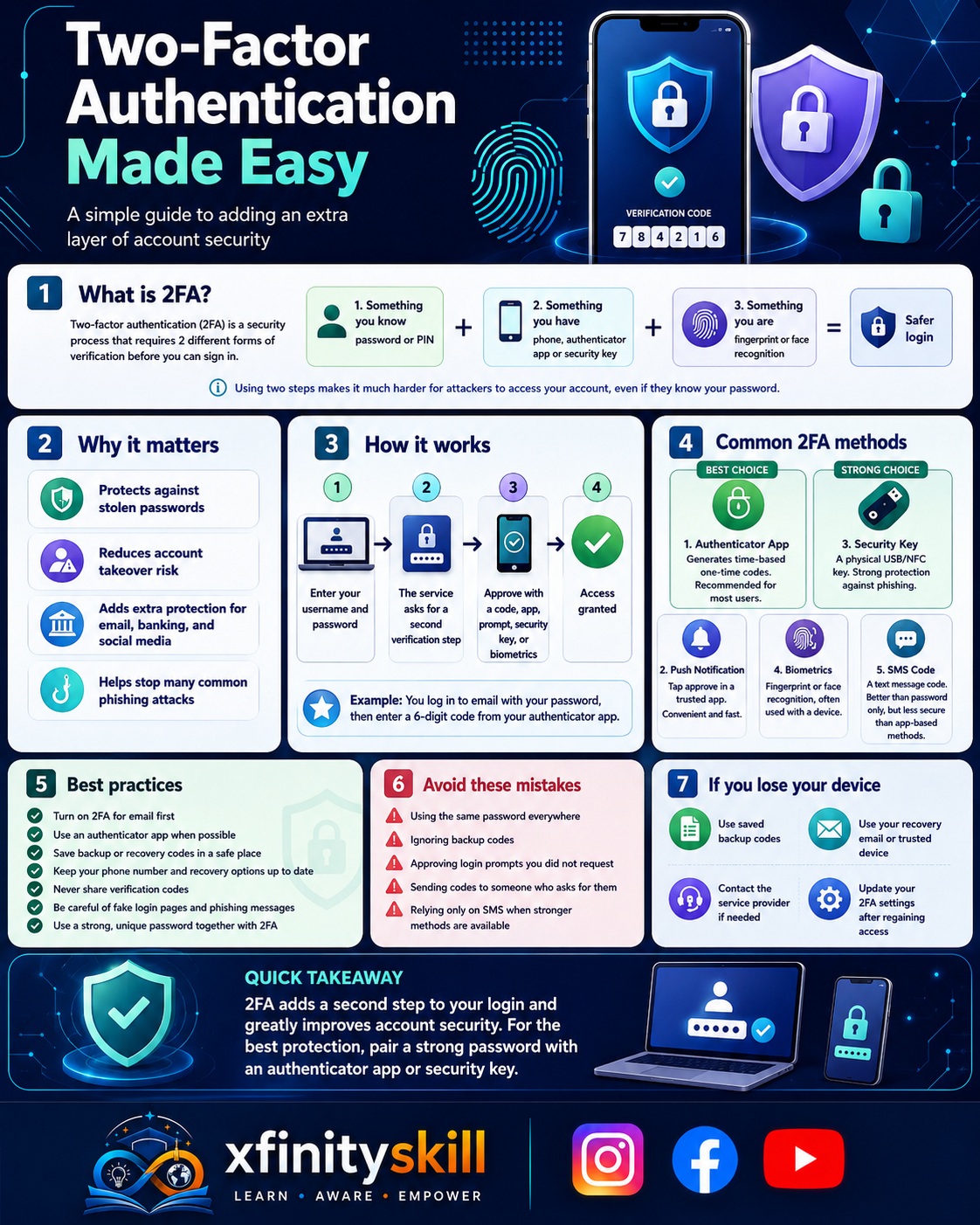
In today’s digital landscape, securing your online accounts is more crucial than ever. Two-Factor Authentication (2FA) provides an extra layer of security beyond just a password. By requiring a second form of verification, it significantly reduces the risk of unauthorized access.
Setting up 2FA is simpler than you might think. Most platforms offer user-friendly options to enable this feature. Here’s how you can get started:
- Choose Your Method: You can typically receive your second factor via SMS, email, or an authentication app. Apps like Google Authenticator or Authy are popular choices for generating time-based codes.
- Enable 2FA: Go to your account settings and look for the security section. Follow the prompts to enable 2FA. You’ll usually need to enter your phone number or scan a QR code with your authentication app.
- Backup Codes: Many services provide backup codes when you set up 2FA. Store these codes in a safe place. They can be a lifesaver if you lose access to your primary 2FA method.
- Test It Out: After setting up, log out and try logging back in to ensure everything works smoothly. This step helps you familiarize yourself with the process.
- Stay Informed: Keep an eye on any updates from your service providers regarding 2FA. New methods and improvements are continually being developed to enhance security.
By implementing Two-Factor Authentication, you take a proactive step in safeguarding your personal information. It’s a simple yet effective way to enhance your online security and protect against potential threats. Don’t wait—enable 2FA today and enjoy peace of mind knowing your accounts are better protected!